跨視窗維持中/英,並為程式綁定輸入語言 —— 連讀不到執行檔的防作弊全螢幕遊戲也行。 Carry your input mode (native/alphanumeric) across windows, and bind programs to a fixed input language — including anti-cheat fullscreen games whose executable cannot be read. 跨窗口维持中/英,并为程序绑定输入语言 —— 连读不到可执行文件的反作弊全屏游戏也行。


Store 版自動更新。桌面版未簽章 —— 防毒可能誤刪安裝檔,可改用免安裝 zip(功能相同)。 The Store build auto-updates. Desktop builds are unsigned — antivirus may flag the installer; the portable zip is functionally identical. Store 版自動更新。桌面版未签名 —— 杀毒软件可能误删安装程序,可改用免安装 zip(功能相同)。

中 / A 輸入指示器。
Verified with Microsoft Bopomofo on real hardware, with the 中 / A caret indicator.
微软注音实机验证,含光标旁的 中 / A 输入指示器。
Windows 的 IME 狀態是逐執行緒的。切到另一個視窗,轉換模式就回到 IME 預設 —— 中文鍵盤就是變回中文。於是你按 Shift 切英數、換個視窗,又在打中文了。「為每個應用程式視窗設定不同的輸入法」那個設定治不了這個 —— 它只管「用哪個輸入法」,不管「中/英模式」。 Windows keeps IME state per thread. Move to another window and the conversion mode reverts to the IME's default — for a Chinese keyboard, that means Chinese. The “different input method for each app window” setting does not fix this: it governs which method is active, not whether it is in native or alphanumeric mode. Windows 的 IME 状态是逐线程的。切到另一个窗口,转换模式就回到 IME 默认 —— 中文键盘就是变回中文。于是你按 Shift 切英数、换个窗口,又在打中文了。「为每个应用窗口设置不同的输入法」那个设置治不了这个 —— 它只管「用哪个输入法」,不管「中/英模式」。
維持你選的中/英模式,就是這個工具的第一個用途;第二個是把特定程式釘在某個輸入語言 —— 包含任何設定都搆不到的那種(直接讀原始輸入的全螢幕遊戲)。 Carrying that native/alphanumeric mode is this utility's first purpose. Its second is pinning a program to an input language — including the kind no setting can reach, like a fullscreen game reading raw input. 维持你选的中/英模式,就是这个工具的第一个用途;第二个是把特定程序钉在某个输入语言 —— 包含任何设置都够不到的那种(直接读原始输入的全屏游戏)。
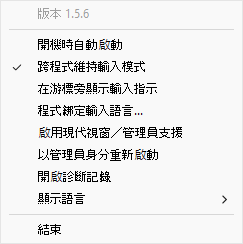
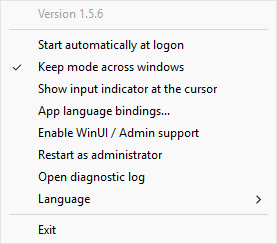
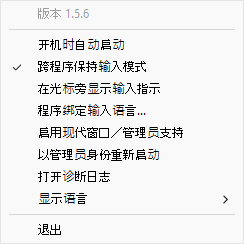
在 A 視窗打中文 → 切到 B 仍是中文;按 Shift 變英數 → 切到 C 仍是英數。跟著你最近一次刻意的選擇走,可從托盤關閉。Type Chinese in A → B stays Chinese; press Shift for alphanumeric → C stays alphanumeric. Follows your most recent deliberate change; toggleable from the tray.在 A 窗口打中文 → 切到 B 仍是中文;按 Shift 变英数 → 切到 C 仍是英数。跟着你最近一次有意的选择走,可从托盘关闭。
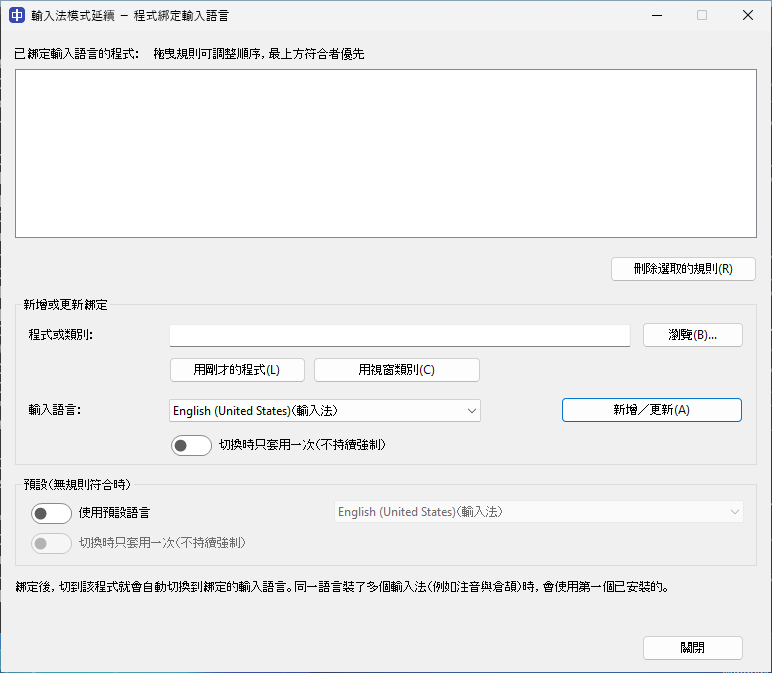
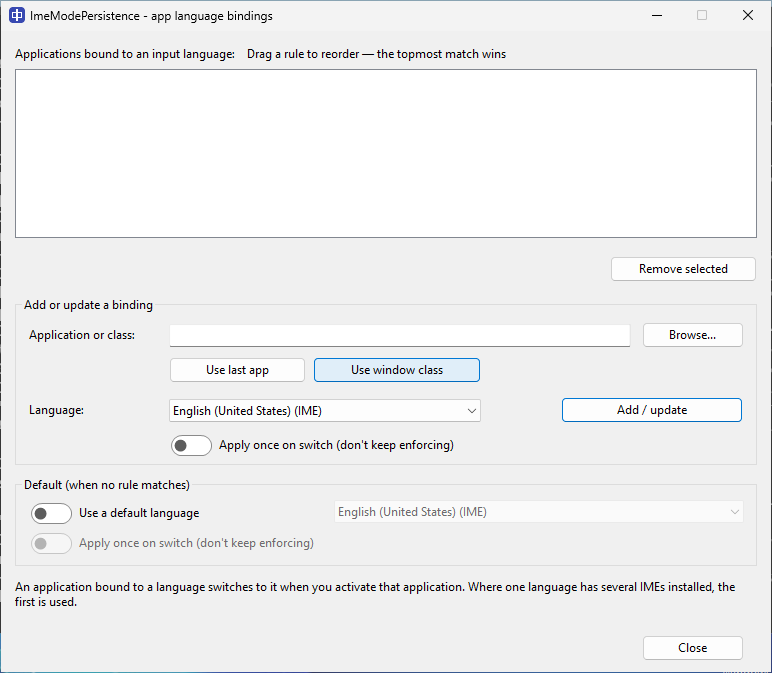
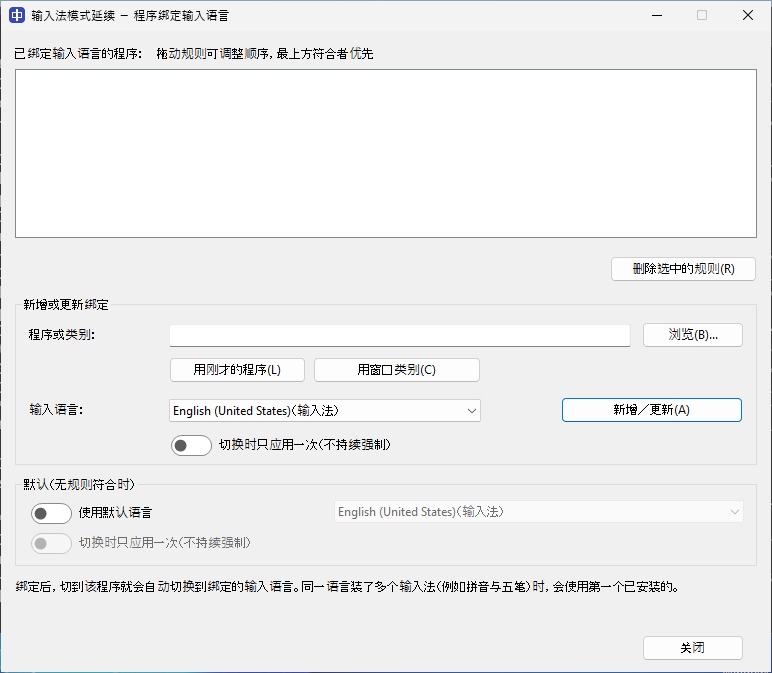
把終端機綁英文、Word 綁中文。支援完整路徑 / 檔名 / 視窗類別 / 萬用字元;可拖曳排序(最上者優先)、套用一次、預設語言。Bind a terminal to English, Word to Chinese. Full path / file name / window class / wildcards; drag to reorder (topmost wins), apply-once, and an optional default.把终端绑英文、Word 绑中文。支持完整路径 / 文件名 / 窗口类 / 通配符;可拖动排序(最上者优先)、套用一次、默认语言。
游標旁顯示你實際會打出的:中/あ/한、A(英數)或語言碼。預設關閉。An indicator beside the caret showing what you'll actually type: 中/あ/한, A, or a language code. Off by default.光标旁显示你实际会打出的:中/あ/한、A(英数)或语言代码。默认关闭。
工作列/開始搜尋框、Windows 終端機與檔案總管不會顯示輸入法指示器:這些系統層級介面僅允許具備數位簽章的程式顯示內容,而本工具目前尚未簽章。一般應用程式皆可正常顯示。The input indicator does not appear in the taskbar/Start search box, Windows Terminal, or File Explorer — system-level surfaces on which Windows permits only code-signed applications to display content (this utility is not currently signed). It works in ordinary applications.任务栏/开始搜索框、Windows 终端与文件资源管理器不会显示输入法指示器:这些系统级界面仅允许具备数字签名的程序显示内容,而本工具目前尚未签名。普通应用程序均可正常显示。
新版記事本這類 UIPI 保護的視窗,靠 Sidecar Helper 跨越權限邊界維持模式 —— Store 版與桌面版皆可。UIPI-protected windows like the modern Notepad are handled by a Sidecar Helper that bridges the barrier — in both the Store and desktop builds.新版记事本这类 UIPI 保护的窗口,靠 Sidecar Helper 跨越权限边界维持模式 —— Store 版与桌面版皆可。
用視窗類別(class:…)綁定,連管理員都讀不到路徑的遊戲也治得了。Helldivers 2 實測可用。Bind by window class (class:…) to reach games whose path not even an admin can read. Confirmed with Helldivers 2.用窗口类(class:…)绑定,连管理员都读不到路径的游戏也治得了。Helldivers 2 实测可用。
不注入、不掛勾、不模擬按鍵,只用 Windows/TSF 的公開機制。原始碼、建置與發佈產物全公開、可用 gh attestation verify 驗證。Nothing injected, hooked or synthesised — only public Windows/TSF mechanisms. Source, build and artifacts are public and verifiable with gh attestation verify.不注入、不挂钩、不模拟按键,只用 Windows/TSF 的公开机制。源代码、构建与发布产物全公开、可用 gh attestation verify 验证。
最簡單:從 Microsoft Store 安裝(自動更新)。或用套件管理器: Easiest: install from the Microsoft Store (auto-updates). Or a package manager: 最简单:从 Microsoft Store 安装(自动更新)。或用包管理器:
| winget | |
|---|
也可從 Releases 下載安裝檔或免安裝 zip。 You can also grab the installer or portable zip from Releases. 也可从 Releases 下载安装程序或免安装 zip。
這類視窗受 Windows UIPI 保護。托盤點「啟用 WinUI/管理員支援」(接受一次 UAC 啟動 Sidecar Helper)即可維持其模式 —— Store 版與桌面版皆可。未啟用時傳統程式與 Chromium(Chrome、Discord)照常,受保護的現代視窗則不維持。 These windows are protected by Windows UIPI. Click “Enable WinUI/Admin support” in the tray (one UAC prompt starts the Sidecar Helper) to hold their mode — in both Store and desktop builds. Without it, classic and Chromium apps still work; UIPI-protected modern windows don't persist. 这类窗口受 Windows UIPI 保护。托盘点「启用 WinUI/管理员支持」(接受一次 UAC 启动 Sidecar Helper)即可维持其模式 —— Store 版与桌面版皆可。未启用时传统程序与 Chromium(Chrome、Discord)照常,受保护的现代窗口则不维持。